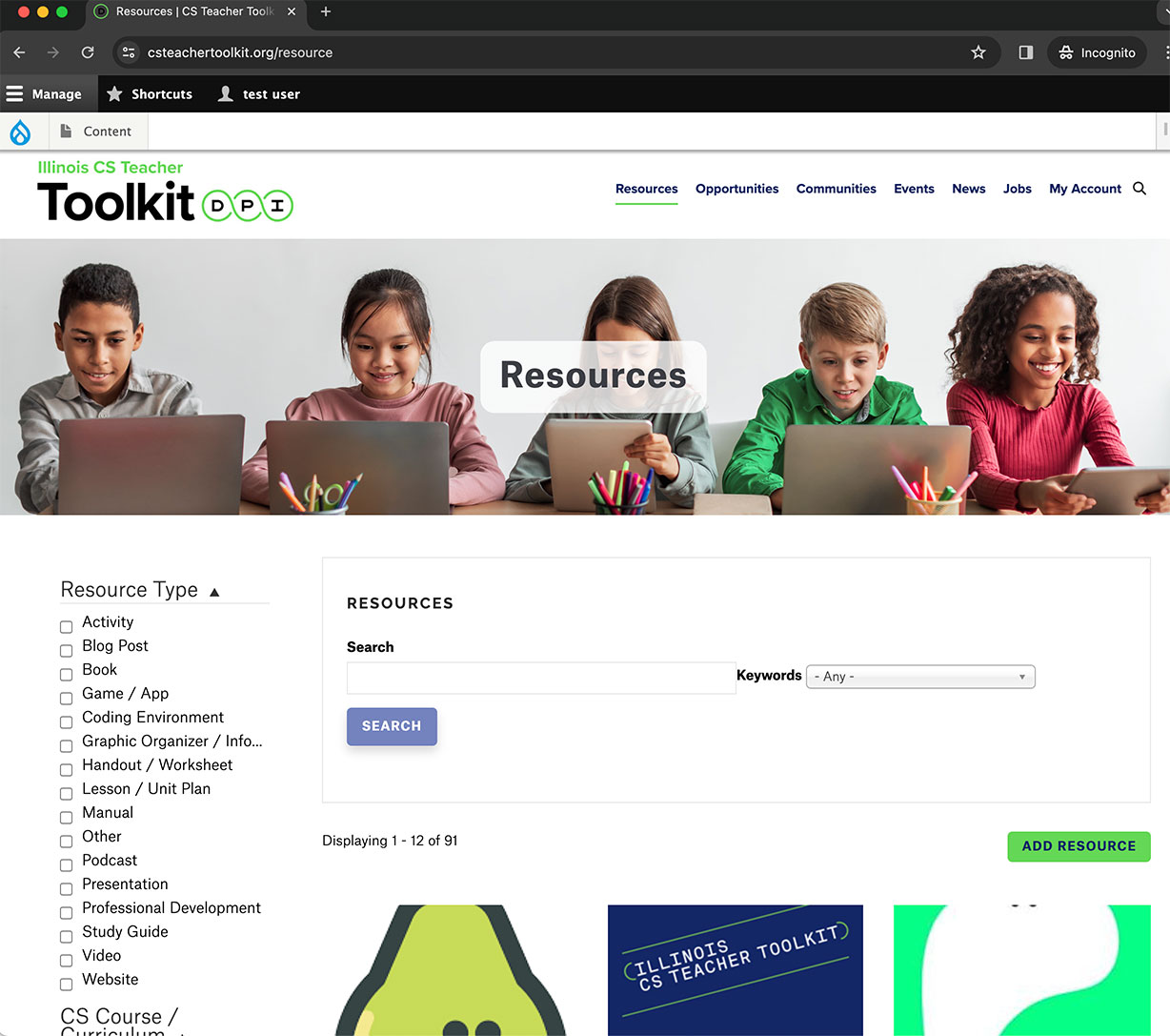
To add a Resource to the website, click on the Resources link in the main menu, and click the 'Add Resource' button.
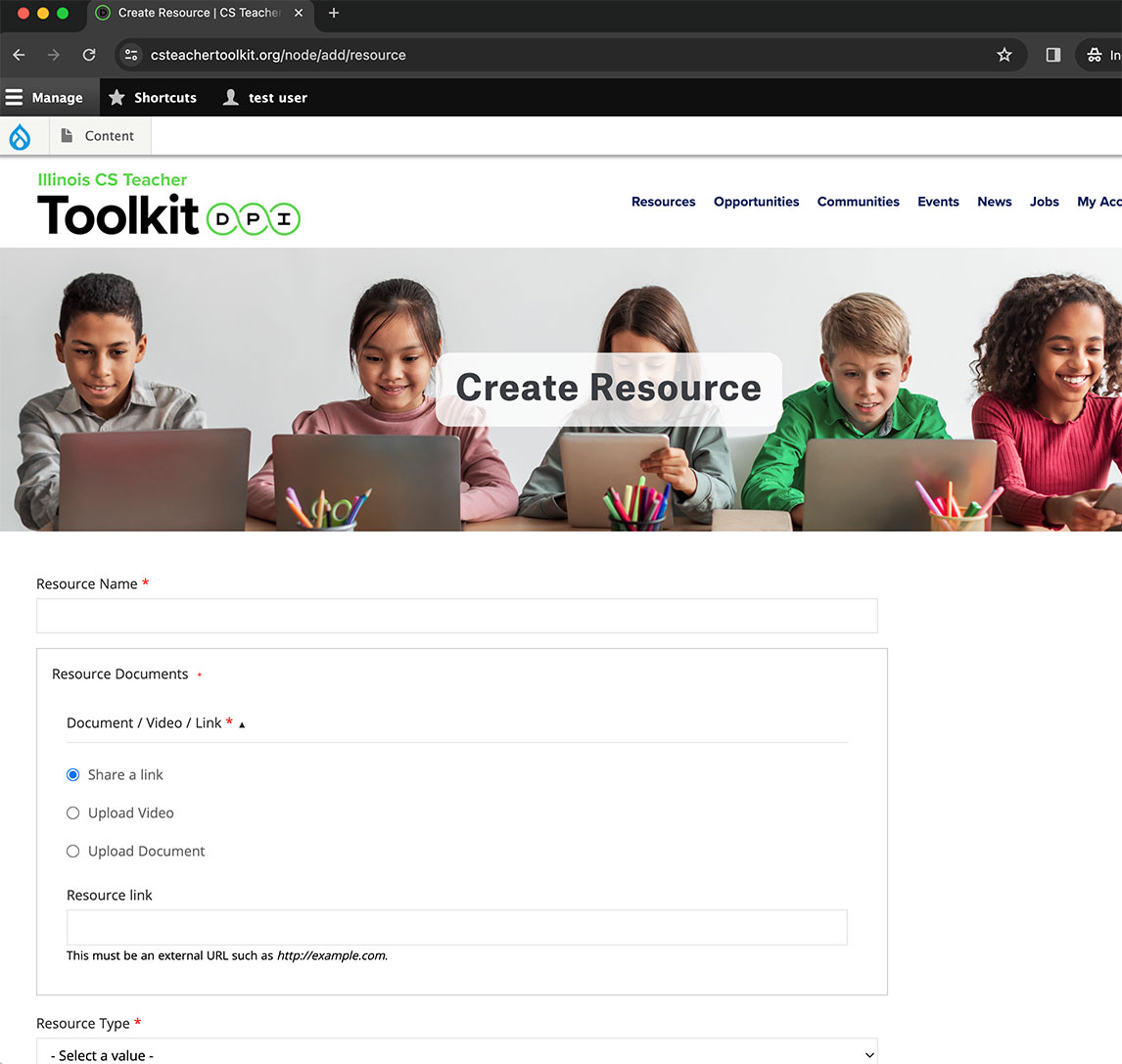
Fill out your Resource information including Name, associated documents, type, grade-level, category, etc.
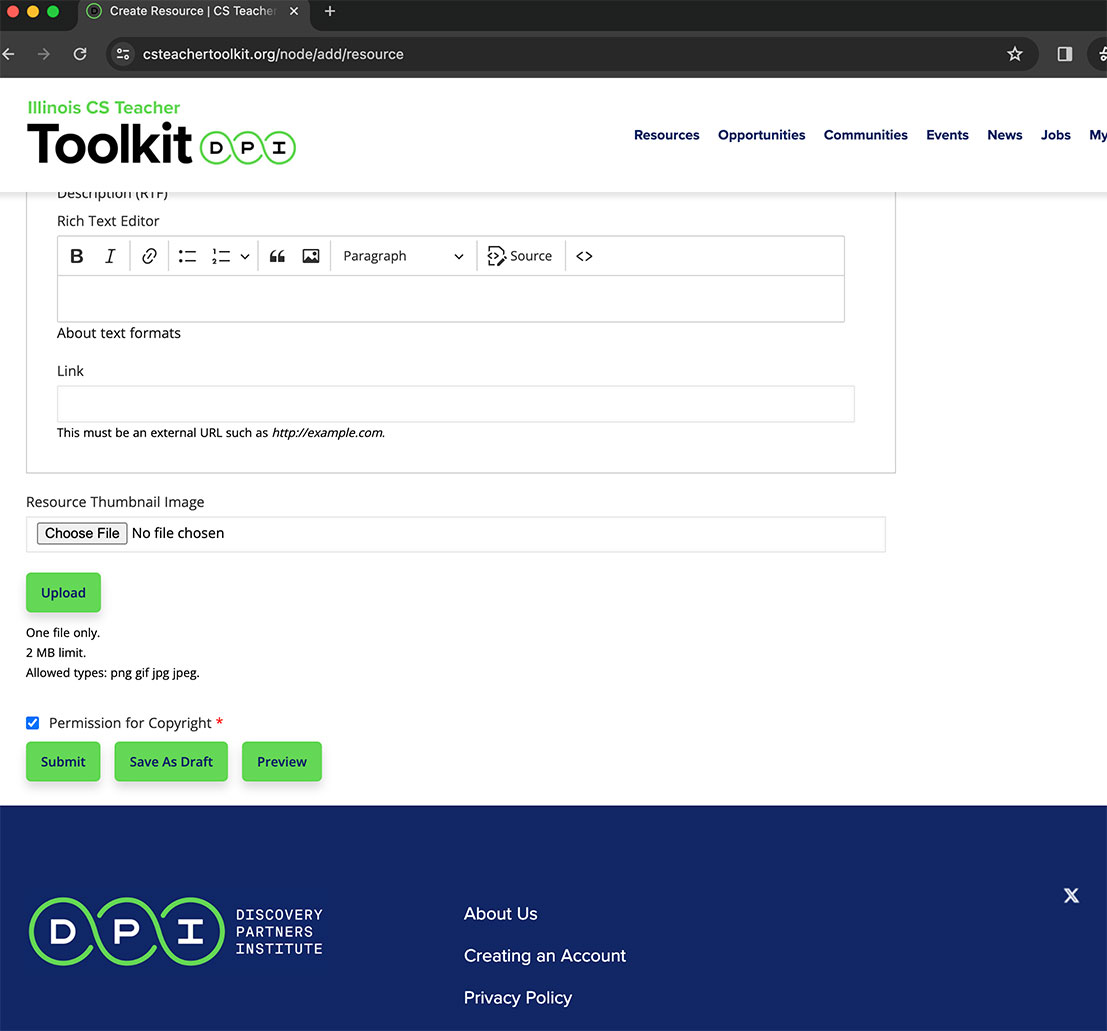
You can 'Save as Draft' your Resource to continue to work on it or click the 'Submit' button, when you are ready to submit your resource to be published. All content submitted to the site will be reviewed in 24-48 hours on business days. Once approved, your Resource will be published and available on the Resource page.